How to tell if a photo vault app is safe
The short answer
A photo vault app can stop someone holding your phone from casually looking at your photos. Beyond that, safety depends on the app, and the app's own claims are all you have to go on. Two risks are easy to miss. The original may still be in your Photos library, and the vault may hold your only copy.
On this page11 sections
- The five questions at a glance
- A vault can stop a casual look
- The original may still be in your Photos library
- Do vault apps really encrypt your photos?
- Can the app's maker see your photos or track you?
- Forensic tools have opened vault apps before
- How people lose the photos in a vault
- Deleting the app does not stop the payments
- How to check a vault app yourself
- Your phone can already hide photos, within limits
- One vault, checked against the five questions
The five questions at a glance
Can someone holding your phone get in?
Not with a casual look, if the vault has its own passcode
Is the photo gone from Photos and iCloud?
Often not, so check Photos and Recently Deleted
Can the app's maker see your photos?
It depends on where the photos go and who holds the key
Can forensic tools open the vault?
They have before, so do not count on the vault
Can you lose the photos?
Yes, unless you keep a second copy
A vault can stop a casual look
A vault's clearest gain is a passcode of its own. That passcode can differ from the phone's, so someone who knows one does not hold the other.
An iPhone's Hidden album opens with Face ID, Touch ID or the phone passcode, so anyone who knows that passcode can open it.
Some vaults offer a decoy, a second vault that shows a different set of photos. It is no guarantee that the real vault stays undiscovered.
A casual look is as far as this goes. In 2018, Vulnerability Lab found that one iPhone vault let anyone on the same Wi-Fi keep guessing its password, when the vault's Wi-Fi access was on.
The original may still be in your Photos library
Treat a photo imported into a vault as a copy, and check whether the original is still in Photos. Copies left in Photos, in messages or in other apps are outside the vault and have to be managed separately.

- Look in the Photos library first, and delete the original there if you want it gone.
- A deleted photo goes to Recently Deleted and stays for 30 days, then it is gone for good.
- Recently Deleted has a lock, but Face ID, Touch ID or the phone passcode opens it, and the lock can be switched off in Settings.
- With iCloud Photos on, deleting a photo on one device deletes it on the other devices signed in to the same Apple Account. Until then, assume the original remains in iCloud Photos.
Before deleting the original permanently, make sure you have a backup outside the vault.
iCloud Backup generally includes downloaded apps' data, but data an app stores in iCloud Drive goes there instead. With Apple's standard settings, Apple holds the keys to that backup, and with Advanced Data Protection it is end-to-end encrypted. Apple does not say whether an app can keep its files out of the backup, so do not assume either way for a vault.
Do vault apps really encrypt your photos?
An iPhone already encrypts the files of third-party apps automatically. The keys are tied to the phone's hardware and, in some cases, to your passcode. The iPhone also restricts each app's access to other apps' files.
So the word encrypted on an App Store page does not set a vault apart. The question is whether the vault adds encryption of its own, and how.
- Few App Store pages say which encryption the app uses.
- Some attach a grand adjective to the word encryption and name no method.
- Some use the word for a paid cloud backup and nowhere else.
- Some leave the word out entirely.
The privacy label is no help here. Its list of data types has no entry for encryption or for how files are kept on the phone. Apple's review rules ask apps to protect user information with appropriate security measures, and they name no method.
Google Play is no clearer. Its Data safety section can say that data is encrypted in transit, and Google's page lists nothing about files kept on the phone.
Some makers publish a security page of their own. One such page names AES encryption and says plainly that it is product documentation, not an independent security audit.
We would want the method named before trusting a vault with anything that matters, because a named method is a claim someone can test. Until someone outside the company tests it, the claim is still the maker's word.
Can the app's maker see your photos or track you?
Some vaults say they keep photos on the phone and on no server. Others offer paid cloud backup.
With cloud backup, the question becomes who holds the key. Some vaults say the password for the cloud backup is not kept on their servers and cannot be recovered by their team. Look for a plain statement like that before you turn cloud backup on. It remains the maker's promise.
For tracking and uploads, look at the privacy label on the app's page. Four things help you read it.
- The developer writes the label, and the label itself says Apple has not checked it.
- The label is about data that leaves your phone. Data that stays on the phone need not be listed.
- If a vault uploads your photos and keeps them where its maker can reach them, the label must list Photos or Videos.
- Data Used to Track You means your data from this app is combined with data from other companies for ads, or passed to a data broker.

So a label that reads Data Not Collected does not mean the app cannot access your photos.
Expect tracking. Many vault apps declare tracking on their label, with usage data, identifiers or both.
Some labels list Photos or Videos. Some omit photos even though the app offers cloud backup, without explaining why. We would ask the maker why before turning that backup on.
Few App Store pages explain whether an account is required. Apple's rules say an app without significant account features must work without a login.
Google Play works the same way. The developer fills in the Data safety section, and Google's review is not designed to verify it. Data that stays on the phone need not be listed there either.
Store review does not settle the matter. In 2025, Kaspersky found malware that scanned photo galleries in apps on the App Store, and Apple removed them. They were not vault apps, but they had passed the same review a vault app passes.
Apple can also remove an app later, if it turns out to have hidden features or is changed after approval to break the rules.
Forensic tools have opened vault apps before
The findings apply to the versions examined at the time.
In 2015, IOActive reached photos and login details in three free iPhone vault apps, averaging under 30 minutes per app with a jailbroken iPhone. A 2017 Android study by Zhang, Baggili and Breitinger found unencrypted photos in a third of the 18 vault apps examined.
A 2022 study by Ruffin and colleagues found that basic Android knowledge was enough to uncover files in most of the 20 popular vault apps examined. We would not treat a passcode screen as evidence that stored files are encrypted.
In an advisory sent out in 2021, a US Defense Department forensic lab said older vault apps had weak security, with passwords and content stored unencrypted. The same lab said newer versions had stronger security but could still be exploited for forensic purposes.
Commercial forensic tools did not decrypt the files of the apps the lab looked at. The lab itself found one app's key in the iPhone keychain, and it described building its own tools to recover vault content.
In 2020, Magnet Forensics said its tool could decrypt one iPhone vault's media without a supplied key or PIN, using data extracted from the phone. That iPhone app changed its design in 2021.
One Android calculator vault app had a built-in PIN that opened its files, a flaw listed in the US National Vulnerability Database in 2018.
The iPhone's own encryption has a limit too. Once you have unlocked the phone after a restart, the key to an app's files stays in the phone's memory, even while the phone is locked. That is the default, though an app can choose a stricter setting. If someone can hand your phone to a forensic lab, we would not count on a vault to keep them out.
The lab's advisory adds that a vault password recovered by investigators can open other things protected by the same password. Give the vault a code you use nowhere else.
How people lose the photos in a vault
A vault is one more place where photos can be lost.

- Deleting a vault app also deletes the photos it stores on the phone, because an iPhone removes an app's data along with the app. Data the app saved in iCloud stays there. Some makers say so in plain words, and one adds that there is no option to restore them.
- Offloading is different, because an offloaded app keeps its documents and data. An iPhone that is low on storage can offload unused apps by itself when that setting is on.
- A forgotten password can be final. Some vaults say that nobody, not even their own team, can recover a forgotten cloud backup password.
- If the phone is lost or broken, the vault is lost too, unless a backup exists. Some free versions have no cloud backup and leave backups to you.
- A new phone needs a check. A restore from iCloud Backup brings back app data in general, and the apps themselves download again afterward. Wait for the vault to download, then open it and check your photos before you erase the old phone.
- An app can go stale, and a vault last updated in 2017 can still be listed. Apple warns the makers of apps that have had no update in three years and almost no downloads. If the maker does not update the app within 90 days of that warning, Apple removes it from the store. An app removed in that clean-up keeps working for people who already have it.
We would not keep the sole copy of any photo in a vault. Local encryption is not a backup, as a vault maker's own security page puts it.
Deleting the app does not stop the payments
Many vault apps are free to download and sell paid plans inside the app. Purchases can start around $4, and lifetime access can cost about $190.
- Cancel an Apple subscription's free trial at least 24 hours before it ends to avoid renewal.
- Apple states that deleting an app does not cancel a subscription bought with it.
- On iPhone, go to Settings, tap your name, then Subscriptions, select the subscription and tap Cancel Subscription.
- You can ask Apple for a refund, but a refund is not guaranteed.
- In-app purchases cannot be redownloaded, though some can be restored.
- On Android, uninstalling an app does not cancel its Google Play subscription, which renews each billing cycle until you cancel it in Google Play.
How to check a vault app yourself
None of these checks proves a vault is safe, but each can show you a vault to avoid.
On the app's page, before you install
- Look for a privacy label. If the page shows No Details Provided, the developer has given Apple no privacy details. We would skip that app.
- Look for a Data Used to Track You section, and decide whether you accept tracking in a vault.
- If the app offers cloud backup, look for Photos or Videos on the label. If it is missing, ask the maker why before you turn backup on.
- Search the description for a plain statement of how photos are encrypted, with the method named.
- Look at when the app was last updated, because a vault can stay listed for years without an update.
- Read how backup works and what happens if you forget the code.
On your own phone, after you install
- When the app asks for your photos, let it see only the ones you pick, not the whole library. iPhone has offered that choice since iOS 14. Apple's rules tell apps to avoid asking for full access where possible.
- When the app asks to track you, choose Ask App Not to Track. That blocks the advertising identifier used to track you across other companies' apps and websites.
- Turn on App Privacy Report, use the vault for a few days, then see when it opened Photos and which servers it connected to. The report starts recording on the day you turn it on, and it shows where the app connected, not what it sent.
- Set a code for the vault that you use nowhere else.
- Keep a second copy, outside the vault, of anything you cannot lose.
- Put one photo in, then take it back out. We would not add more until that works.
Your phone can already hide photos, within limits
The Photos app on iPhone has a Hidden album for photos you hide, and since iOS 16 it comes locked by default. With iCloud Photos, a photo hidden on one device is hidden on your other devices too.
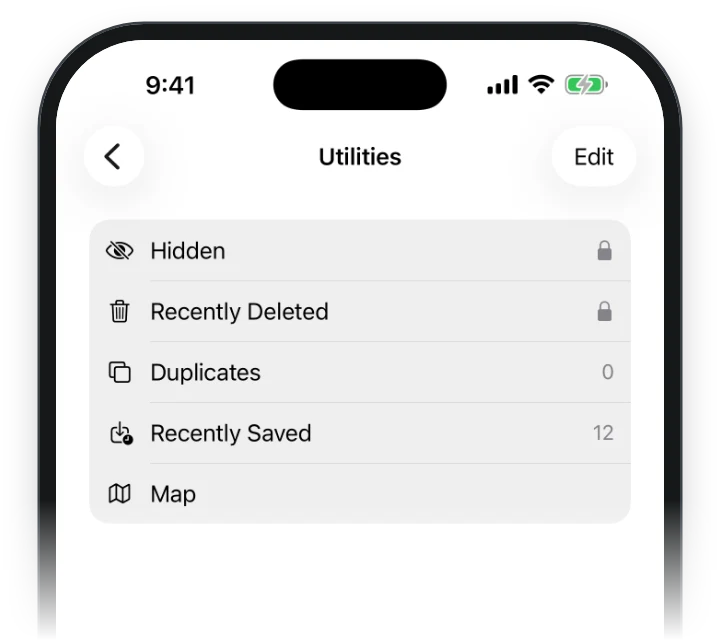
Since iOS 18, an app can be locked behind Face ID, Touch ID or the passcode, which also keeps its contents out of search and notification previews. The lock works on that iPhone alone and does not carry over to your other devices.
On Android, Google Photos has a Locked Folder protected by the phone's screen lock, and it cannot have a password of its own. Items in it that are not backed up are lost if the Photos app is uninstalled or the phone is lost.
We would try these tools first if the people around you do not know your phone passcode. If someone knows that passcode, these locks will not keep that person out. A vault with its own code can keep the photos locked even from someone who can unlock the phone.
One vault, checked against the five questions
Dearkept is a photo vault for iPhone. The same five questions apply to it, and these are the answers.
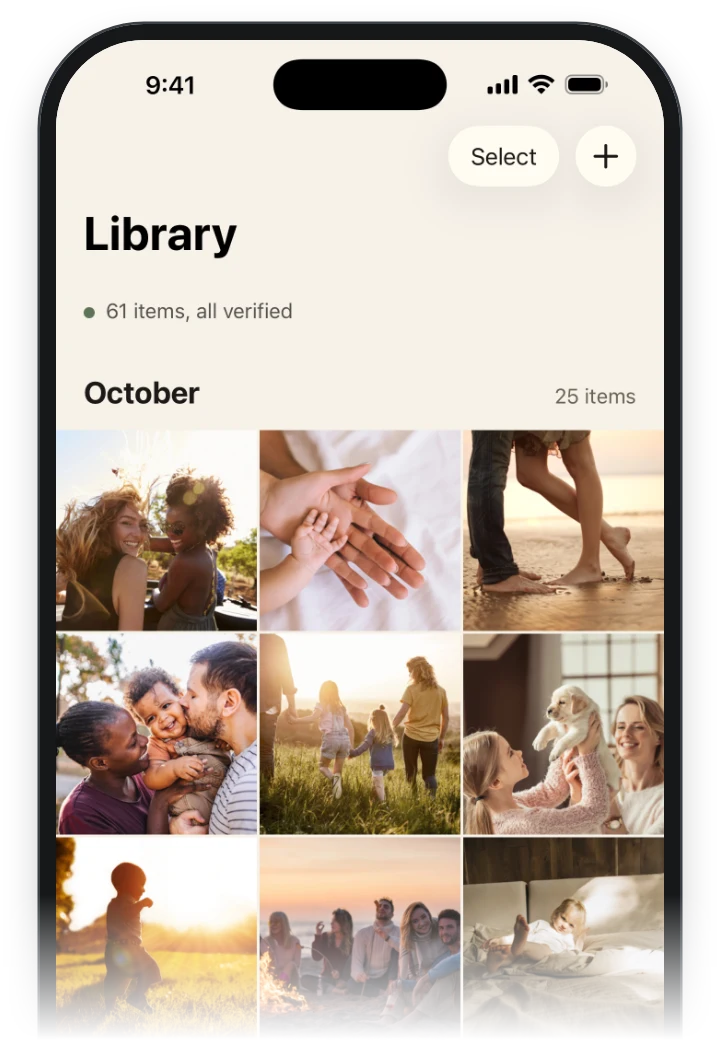
- Against someone holding your phone, Dearkept has its own lock, an 8-digit Vault Code separate from the iPhone passcode. You can add Face ID or a drawn pattern if you want them.
- On the copy left in Photos, Dearkept keeps each item in its own vault, separate from the Photos library, and you still need to check Photos and Recently Deleted for the original yourself.
- As for the maker, there is no account to create and no Dearkept server, because the app contains no networking code. The privacy label says Data Not Collected, and like any label it is the developer's own statement.
- Against forensic tools, Dearkept names its method, which is AES-GCM encryption of each item on the iPhone. A named method is not proof that forensic tools cannot get in.
- Against loss, you can turn on an encrypted backup to a folder of your choosing, iCloud Drive for example, and Dearkept checks each backup once it is written. You pay nothing to view, export, back up or restore.
The catch is that the Vault Code has no reset. Backup stays off until you turn it on, and a restore on another iPhone needs the backup folder plus your 12 recovery words.
Dearkept is free up to 100 items. After that, Dearkept Pro costs $3.99 a month, or $19.99 a year with a 7-day free trial. You can also pay $49.99 once. Pro adds a decoy vault.
Dearkept makes sense if you want no account or server run by the maker and will keep the Vault Code and recovery words safe.