What a calculator vault app hides, and where it still shows
The short answer
A calculator vault app is a photo vault dressed as a calculator. The calculator is a costume, not a lock. It may fool a glance at the Home Screen, but the app still shows in App Library and in Settings. The disguise says nothing about how well the photos inside are protected.
On this page9 sections
- What a calculator vault app is
- What the disguise hides, and where the app still shows
- The extras these apps promise
- How you can lose the photos inside
- What these apps tell you about encryption and tracking
- What tests have found
- What the phone already offers
- When a calculator vault makes sense, and when it does not
- A calculator vault app alternative
What a calculator vault app is
A calculator vault app looks and works like a calculator, and hides photos and videos behind it. It is also called a fake calculator app.
To open the vault, you type your passcode on the keypad and press a set key, such as equals or percent. Without the passcode, the app is meant to look like nothing more than a calculator.

Photos and videos are the main use, but some of these apps also take documents, notes and passwords. Some keep account and card details too. On Android, one popular kind goes further and hides other apps by running copies of them inside the vault.
Expect a free download with ads, and a paid upgrade to remove them or unlock features. Paid plans range from about $2 a week to about $50 for lifetime access.
What the disguise hides, and where the app still shows
The most a disguise can do is pass a glance at the Home Screen. Some apps promise far more, such as a disguise that makes it impossible for onlookers and hackers to discover the app. We would not take that at face value, because an iPhone keeps its own lists of what is installed.
- App Library shows your apps, including any removed from the Home Screen.
- The App Library search field shows an alphabetical list of all apps on the device.
- In Settings, under General, iPhone Storage lists apps with the storage each one uses.
- The complete purchase history in Settings still shows an app after it is hidden from the App Store purchase list.
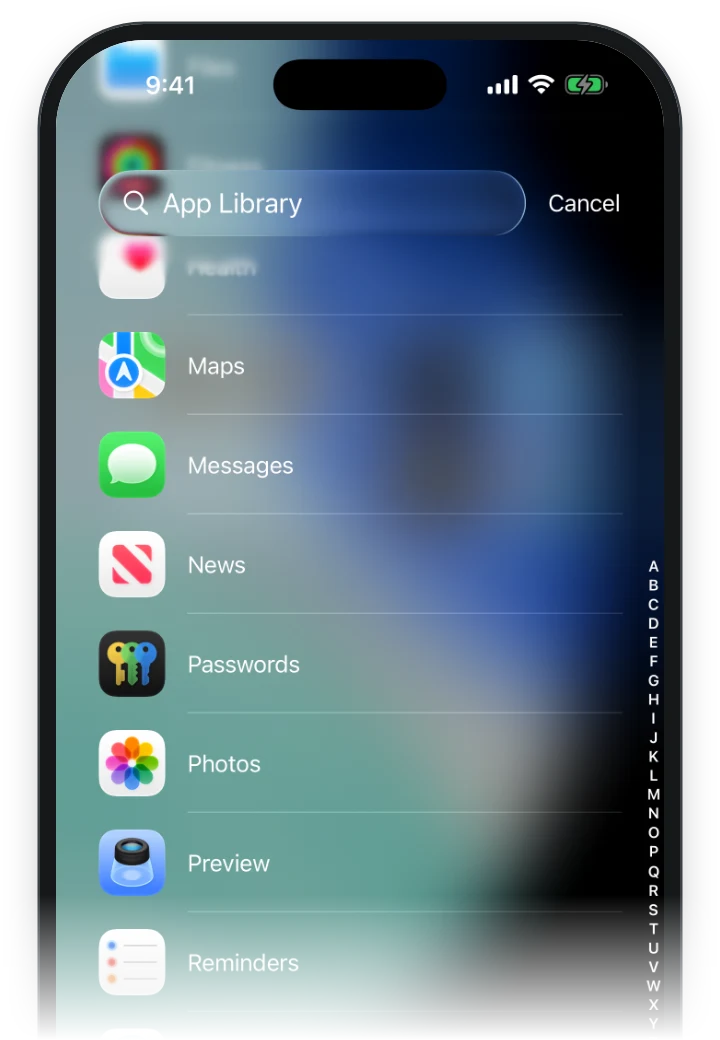
On Android, the Manage apps & devices screen in the Play Store lists apps installed from Google Play.
Anyone who spots the app in one of these lists can look it up in the App Store. Its App Store page says plainly that the calculator is a decoy.
The extras these apps promise
A costume is rarely the whole pitch. Many of these apps also catch or log wrong-code attempts, for example with a front camera photo of whoever typed the code. Some add a decoy mode that shows a fake empty vault if you are forced to unlock, or a fake crash message.
These extras are aimed at someone who has your phone in hand and is trying to get in. They do not stop the app from showing in App Library, iPhone Storage or your purchase history.
How you can lose the photos inside
Losing the photos worries us more than being found out.
Deleting an app from an iPhone removes the app and its data. For a vault, that means the photos inside. Several of these apps warn that deleting the app without a backup loses the files for good.
A forgotten passcode is the other way to lose them. What happens next depends on the app, so check before you put anything in the vault.
- Some apps offer recovery by email.
- Some use security questions.
- Some have no recovery, and a lost or forgotten code means the photos are lost.
One calculator vault app, Calculator Lock, prints its master reset code in the FAQ on its App Store page. Anyone can read that code, so all that protects the vault is the security question asked with it. The people you hide photos from are often the ones who could guess the answer.
Some of these apps offer backup to iCloud, Google Drive or another cloud service, without explaining how the backup copies are protected. One also offers to delete photos from your gallery automatically. Turn that on without a backup and the vault holds the only copy.
Check the date of the last update as well. Some of these apps were last updated in 2022 or 2024. We would not leave the only copy of a photo in an app last updated that long ago.
What these apps tell you about encryption and tracking
Few of these apps say how they encrypt your photos, or whether they do. It is rare for one to name the encryption method it uses for stored files. Others mention a strong cipher without naming it, mention encryption only for the password lock, or do not use the word at all. We would skip any vault that never mentions encryption, because a maker that encrypts files has every reason to say so.
The privacy label on the App Store page is the next place to look. The developer fills it in, and the page itself states that Apple has not verified the information. Tracking is common. Many of these apps declare Data Used to Track You, though a few declare no tracking, or that no data is collected.
Even a clean label has a limit. Under Apple's definitions for the label, data counts as collected when it is sent off the device and stays accessible to the developer or its partners longer than the request needs. So a label that says no data is collected tells you nothing about how photos are stored on the phone.
On Google Play, the Data safety section is also the developer's own statement. Read it closely. An app can say it does not collect private data and still share device IDs for advertising, as one Android app's Data safety section shows.
What tests have found
Independent tests of these apps are rare, and most are of Android apps from several years ago. Each result applies to the version tested, and an app can change. The pattern is still worth knowing.
On iPhone, we found a single test. In 2019 the forensics firm Paraben examined a calculator vault app and found that it did not encrypt the photos it stored. The pictures could be seen in plain view in a copy of the phone's data. The Android calculator vault in the same test did appear to encrypt its files.
On Android, two university studies looked at vault apps in general.
- A 2017 study called "Breaking into the Vault" tested 18 apps and found that 6 did not encrypt stored photos and 7 kept passwords in plain text.
- A 2022 study called "Casing the Vault" tested 20 popular apps and recovered files from 15 of them without rooting the phone.
- The 2022 study also found that most of the apps set up their disguise poorly, in ways that could give the app away with no technical skill.
Many of the apps in the 2022 study also have iPhone versions, which the researchers did not test.
One Android calculator vault shows how badly this can go. In 2017 a researcher found that it left hidden files unencrypted in an Android backup, and that a PIN built into the app opened the vault. The PIN was still there after two updates in January 2018. Both flaws are on record in the US National Vulnerability Database, as CVE-2017-16835 and CVE-2017-18192.
None of this is a verdict on any app on sale today. It does show why an app's own word on security is not enough.
What the phone already offers
Before you install anything, look at what the phone does on its own.
Hiding photos on iPhone
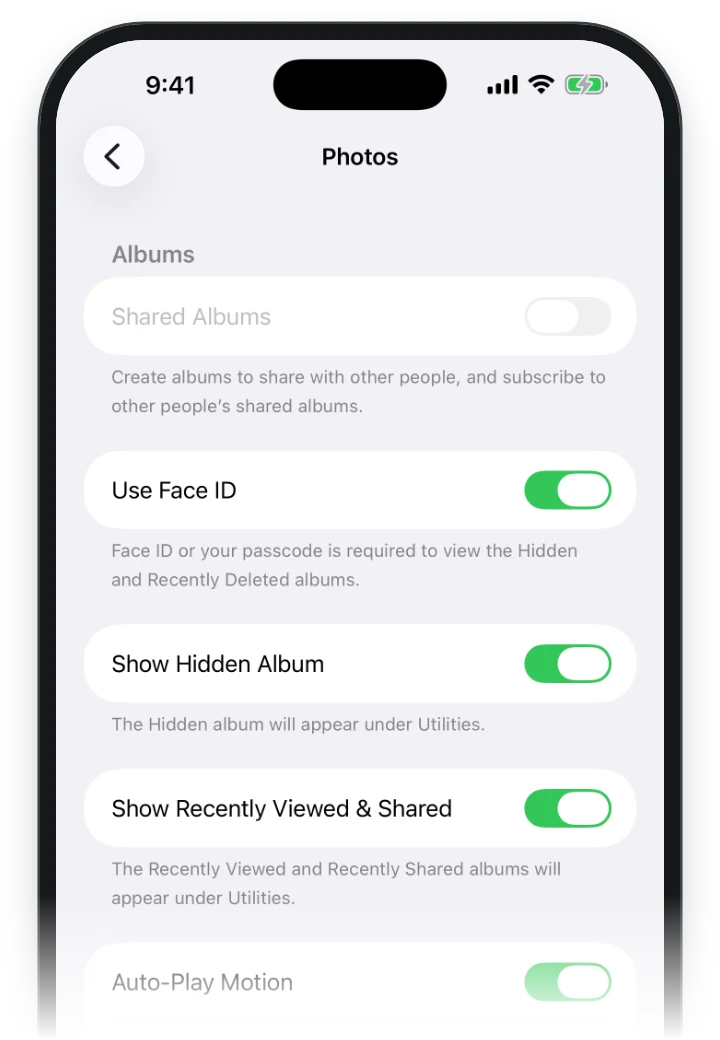
An iPhone can already hide photos, with no extra app. In the Photos app, touch and hold a photo or video, tap Hide, then confirm.
The photo moves to the Hidden album, under Utilities. On iOS 16 and later, that album is locked by default and opens with Face ID or Touch ID.
To take the Hidden album off the list as well, open Settings, tap Apps, then Photos, and turn off Show Hidden Album.
Locking or hiding apps on iPhone
On iOS 18 and later, an iPhone can lock or hide an app with no third-party vault involved.
A locked app needs Face ID, Touch ID or the passcode to open, and its contents stay out of some places, for example notification previews and search. A hidden app is locked too, and it leaves the Home Screen for a Hidden folder at the bottom of App Library.
Hidden is not invisible. The names of hidden apps may still show up in these places:
- Hidden Apps, under Apps in Settings, after Face ID, Touch ID or a passcode
- Screen Time in Settings
- Battery Health & Charging in Settings
- App Store purchase history
The locked or hidden status applies only on the device where it was set and does not sync with iCloud. Apps that come installed with iOS 18 or later cannot be hidden, and Apple's own Calculator is among the built-in apps that cannot be locked.
Hiding photos on Android
Locked Folder in Google Photos keeps items out of the Photos grid, memories, search and albums, and away from other apps with photo access. Anyone who knows your Google Account password can unlock it.
When a calculator vault makes sense, and when it does not
A calculator vault makes sense for one job. It can keep photos from someone who picks up your unlocked phone for a moment and looks no further than the Home Screen. That is all a costume can do.
It does not make sense when that person has time with the phone, because the app is still on the phone's lists of installed apps. It does not make sense for the only copy of anything, given what these apps say about deleted apps and forgotten codes. An app's encryption claim is the maker's word, not proof that the app protects your photos.
We would start with the phone's own tools instead. They have limits too, but Apple and Google say plainly what those limits are.
A calculator vault app alternative
Dearkept is a photo vault for iPhone that does not disguise itself. It puts the work into protecting the photos instead.
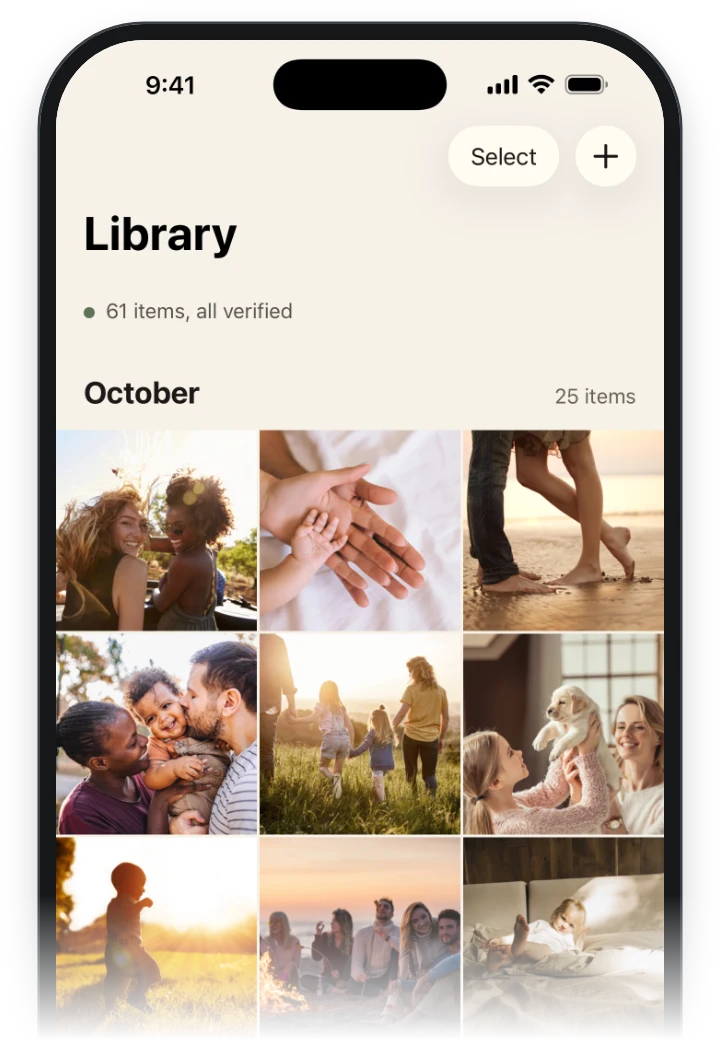
- Dearkept encrypts each photo on the iPhone with AES-GCM and keeps it in its own vault, apart from the Photos library.
- Dearkept needs no account and has no server, and its privacy label reads Data Not Collected.
- Dearkept opens with an 8-digit Vault Code that cannot be reset, so there is no master code for anyone to look up.
- Dearkept backs up, encrypted, to a folder you choose, such as iCloud Drive, and checks each backup after writing it.
- Getting your photos out of Dearkept is never a paid extra, because export, backup and restore stay free.
The trade-offs are plain. Dearkept will not pass as a calculator, and nothing hides its icon. The Vault Code cannot be reset, and restoring on another iPhone takes your backup and your 12 recovery words. Dearkept is free for the first 100 photos, and more needs Pro, at $3.99 a month, $19.99 a year or $49.99 once.
Dearkept suits someone who wants the photos protected more than the app hidden.